HEY SUPPLIERS
As suggested in the title this is a guide of how to use a photographer's professional images without peeing us off. I know who would think it was even possible to please a photographer right? But joking aside and before you read any further, this is NOT a blog where I just bash other wedding suppliers. It's a guide of do's and don'ts on how to use our images and more importantly why we don't want you to do the don'ts...
Any time I have ever messaged another supplier and reminded them to tag me or asked them not to use a filter on the image, I generally get the response "sorry, I didn't know". So here is your guide.
Thanks for reading this far at least.
Personally, I am always happy to give some professional images to suppliers and most photographers are. Some of us work in different ways but I like suppliers to come to me directly and ask for images so that I can make sure they are sent high quality images and are aware of tagging conditions. So tagging seems the best place to start...
TAGGING
This is the most basic of social media and website etiquette, but it's by far the most common reason I have to contact a supplier. If you are using a professional image, you must tag the photographer. It's different for couples as they have paid for the images, so they own them. Obviously, it's always lovely when couples tag us but there is no expectation for them to do this. As a fellow wedding supplier, I feel like we are all working within the same industry, and it is just good manners to support each other and shout each other out when we get the opportunity.
When I shoot a wedding, I always make a note of EVERY supplier involved in creating the couple's day. I love social media and specifically Instagram. For a typical wedding, I will post 1 reel, up to 3 grid posts and a whole load of stories. All suppliers are tagged in these, so they do get a lot of exposure. I will add that I don't have to tag anyone. I do this because I love us all working together, and I think it's great for suppliers who are not there on the day to see how it all looked when it came together. And if I love what you did, I want to shout about you all so my other couples can see that I recommend you.
So when we see suppliers then post images and not tag us back - of course we get annoyed. It can't all be one sided.
It's also worth remembering that we own the copyright to the images, so we also need to be tagged for that reason.
There are two ways to tag and I always do both. Examples below in case you are totally new to Instagram and don't know.
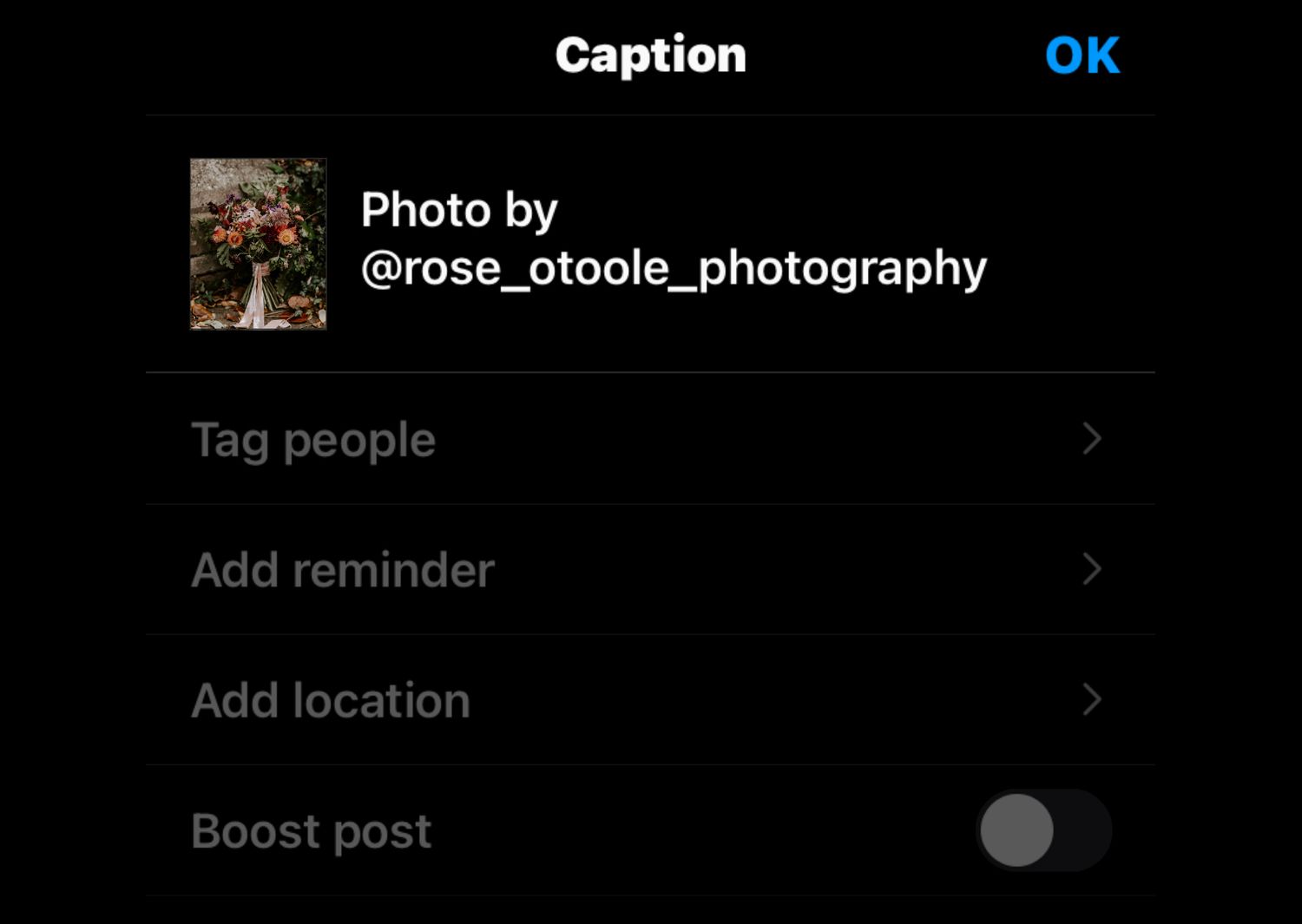
tag in the caption
After you have typed your caption it is as easy as typing "photo by @ name-of-photographer".
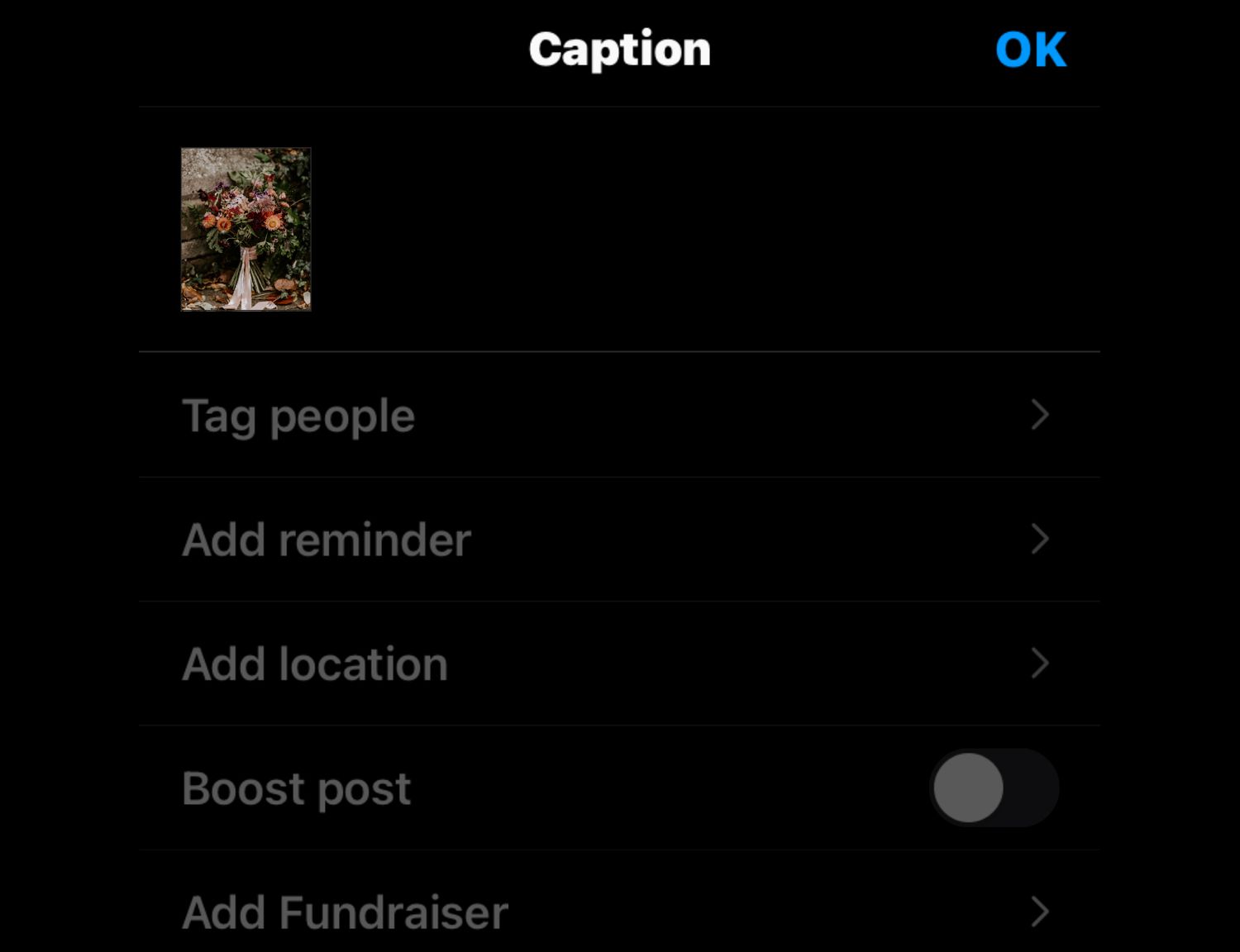
tag the image
Tap on Tag people and then type the photographers name in. This type of tagging will send a DM straight to the photographer and alert them of the tag. Which will most probably lead to them sharing your post to their story - more exposure for you.
No screenshots
We get it - screenshotting is so much easier and quicker to get the image onto your social media BUT I speak for every photographer in the land when we tell you that we die inside when we see it. We know it's probably just because you are excited, and we are flattered that you want to share the image, but please stop it. All you need to do is contact us for the image and most of us would send you it for free!!
Below is an example of the difference screenshots make to an image and why we don't want you to do this.
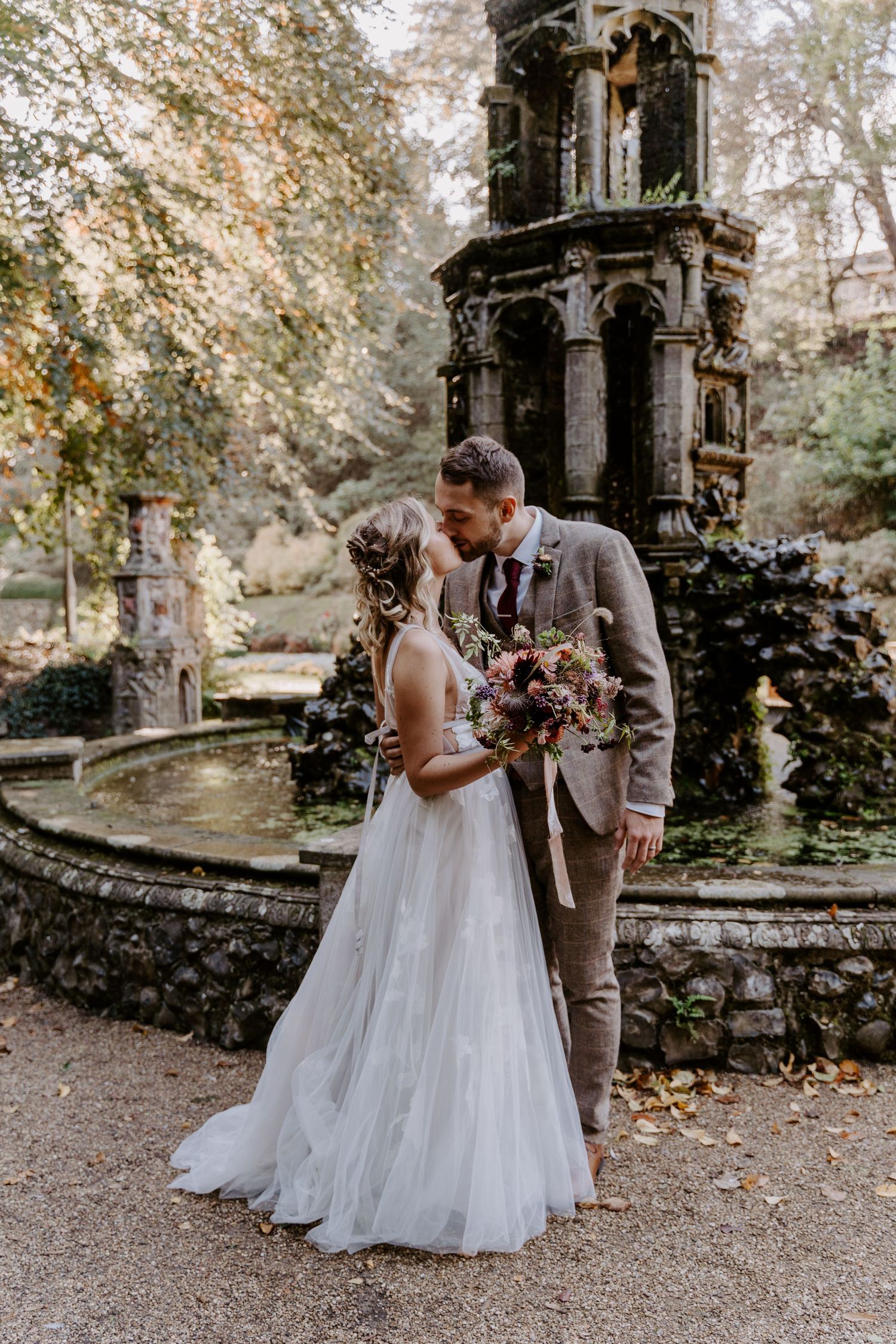
my image
Downloaded in high res. Edited in my personal style and exactly how I want the image to look. Sharp lines, in focus, muted earthy tones and true colours.
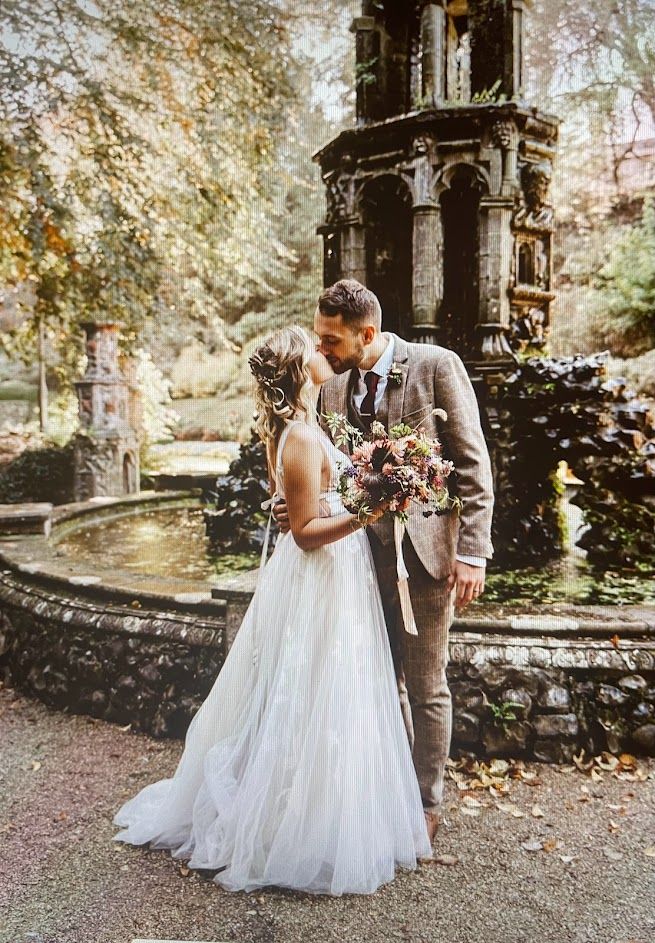
screenshot image
The colours look different, the resolution is bad, and it looks fuzzy. This makes me look like I took the photo out of focus which is NOT a good advert for my biz.
Adding filters
We spend hours and hours editing a gallery. Editing in a unique style which is predominantly why the couple chose us to be the photographer. You must never post a professional image with a filter over it.
Adding a filter completely alters the image so it no longer looks like our work. It does not correctly represent what we do.
To put this into perspective:
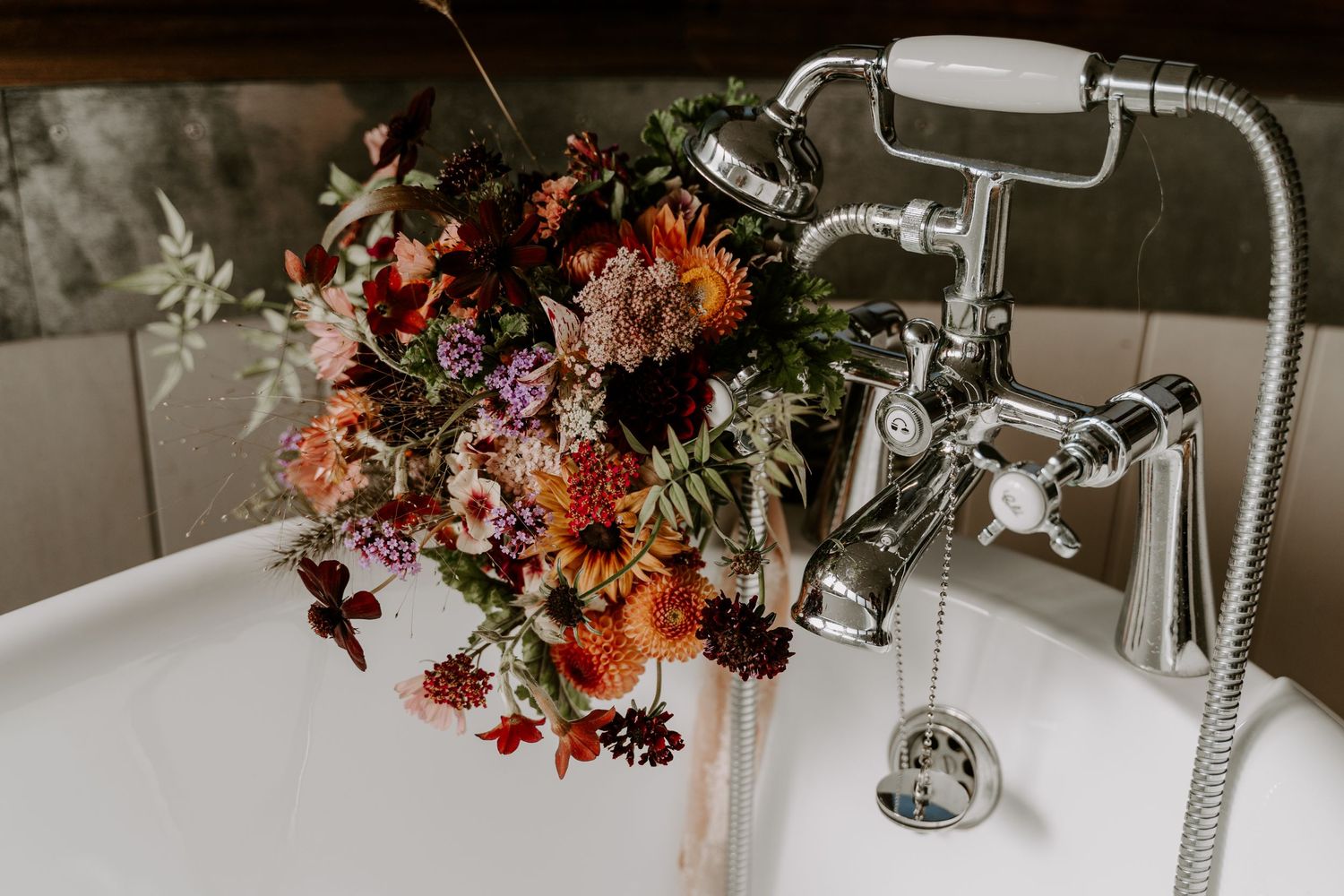
If you are a florist - it would be like me, taking a bouquet pulling some flowers out and changing it and then saying it was made by you... it did not look like that when you made it and would not represent your work.
If you are a HMUA - it would be like me, changing a hairstyle or smearing make up and then saying it is your work... it did not look like that when you completed the job and would not represent the hard work you had put into the finished look.
If you are a cake maker - it would be like me redecorating the cake and then posting it and saying you made it that way.
Below is an example of how a filter from Instagram can dramatically change an image.
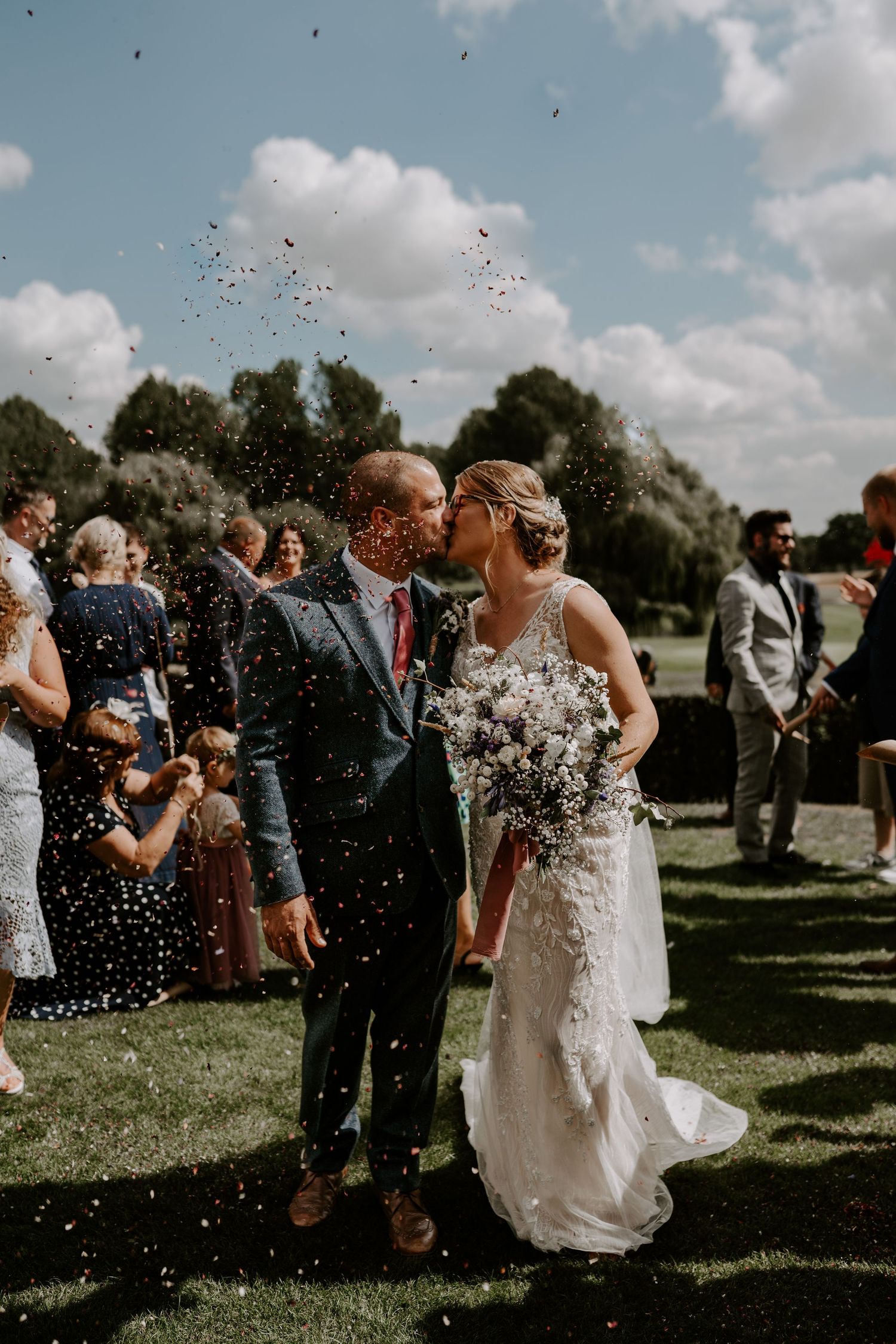
ORIGINAL IMAGE
In my own edit.
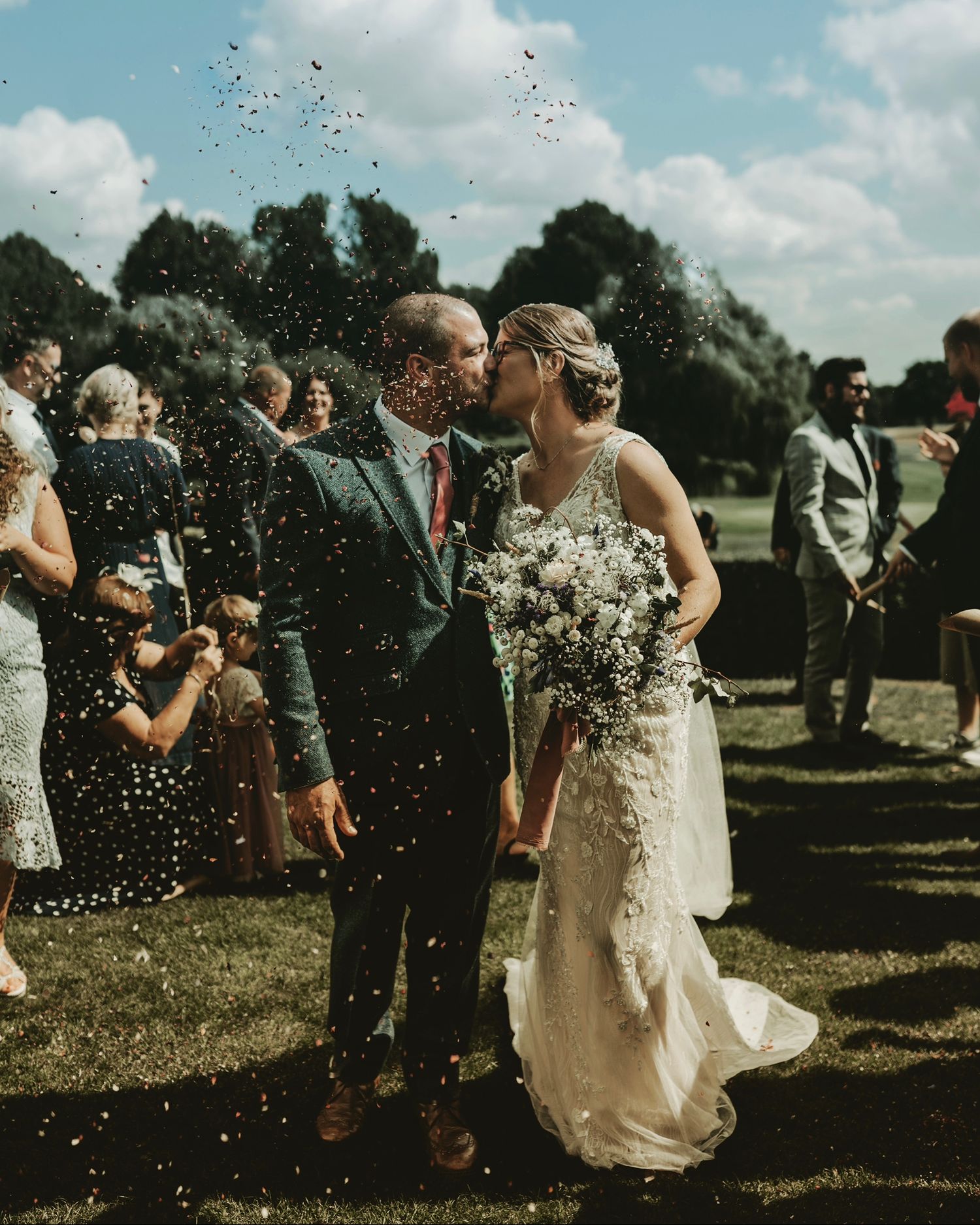
filterED
Using an Instagram filter the image is now unrecognisable as my work. All of the lighting and colours have changed. (If I could add an emoji right now it would be the vomit face)!
If our photos are too dark, too light, too bright or too anything for your grid and don't fit in with your feed then please just don't post them. We are not forcing you to. We understand sometimes our work is not in keeping with your feed. If you still want to support us, you can share the image to your story instead, so it does not upset your aesthetic.
CROPPING images
It's bad enough when Instagram does it to fit into their shit sized squares, so please don't you start too.
We crop and size an image for a very particular reason. The composition and framing of a photo are the most basic of skills most photographers learn very early on. So zooming in and cropping parts of a photo out changes the photo completely and looks like we took a shit photo.
You may be thinking that to an "untrained eye" it's still a nice photo so why are we bothered?
And quite simply it bothers us because our work is being altered.
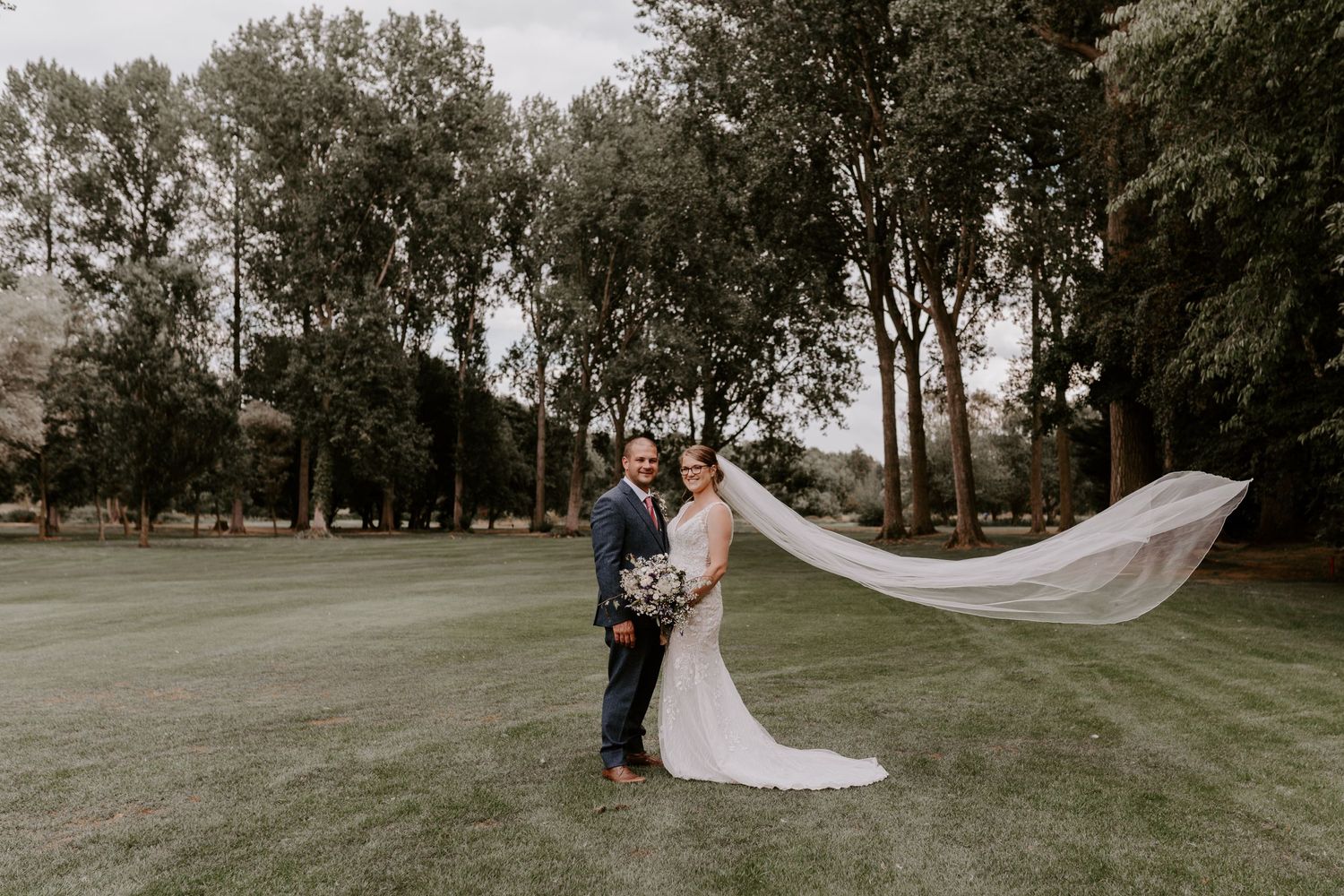
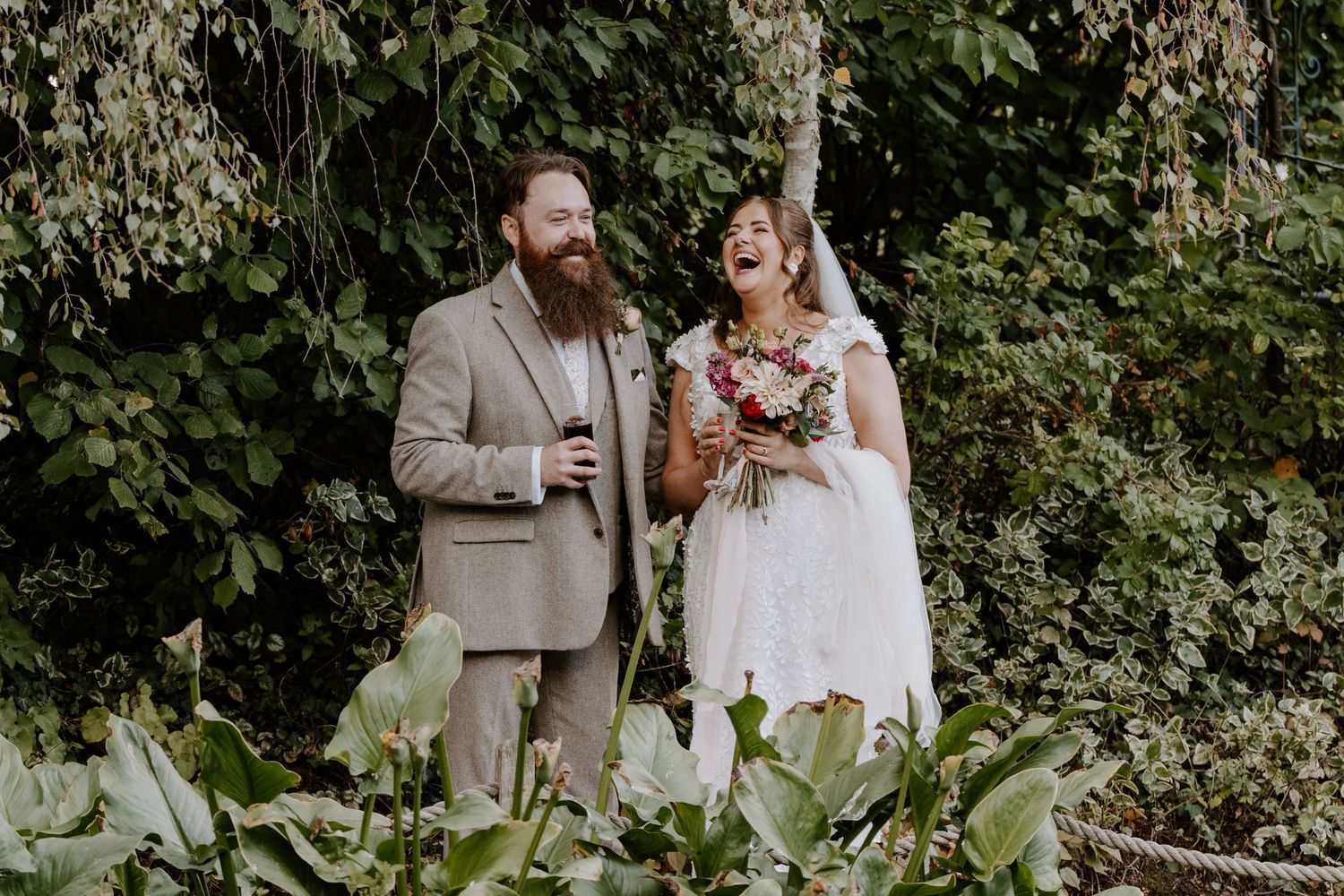
Original image
Shot as landscape and wide to show the background of the trees and full veil in shot.
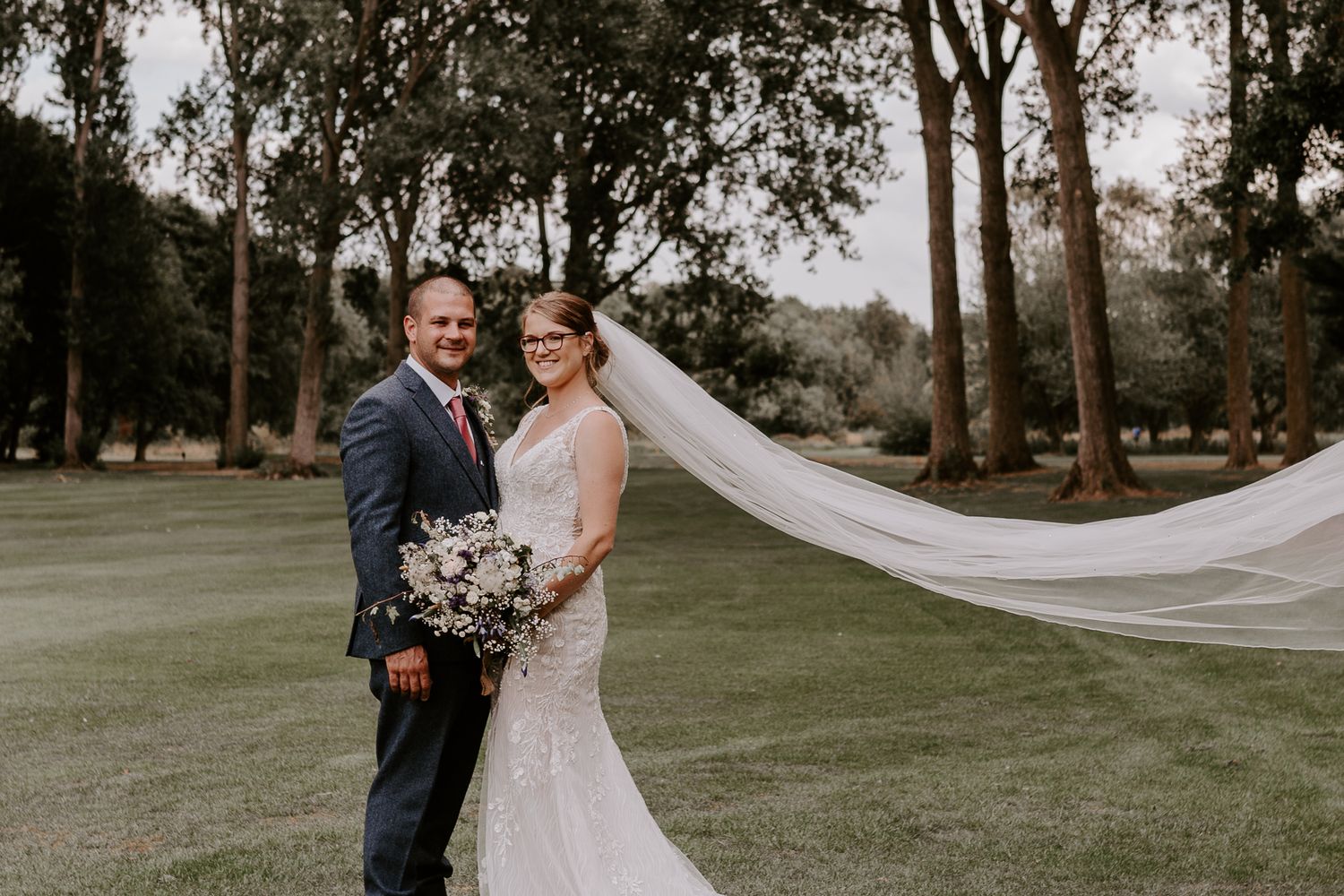
CROPPED
Veil cut off, couple cropped off at the ankles.
Instagram Quality
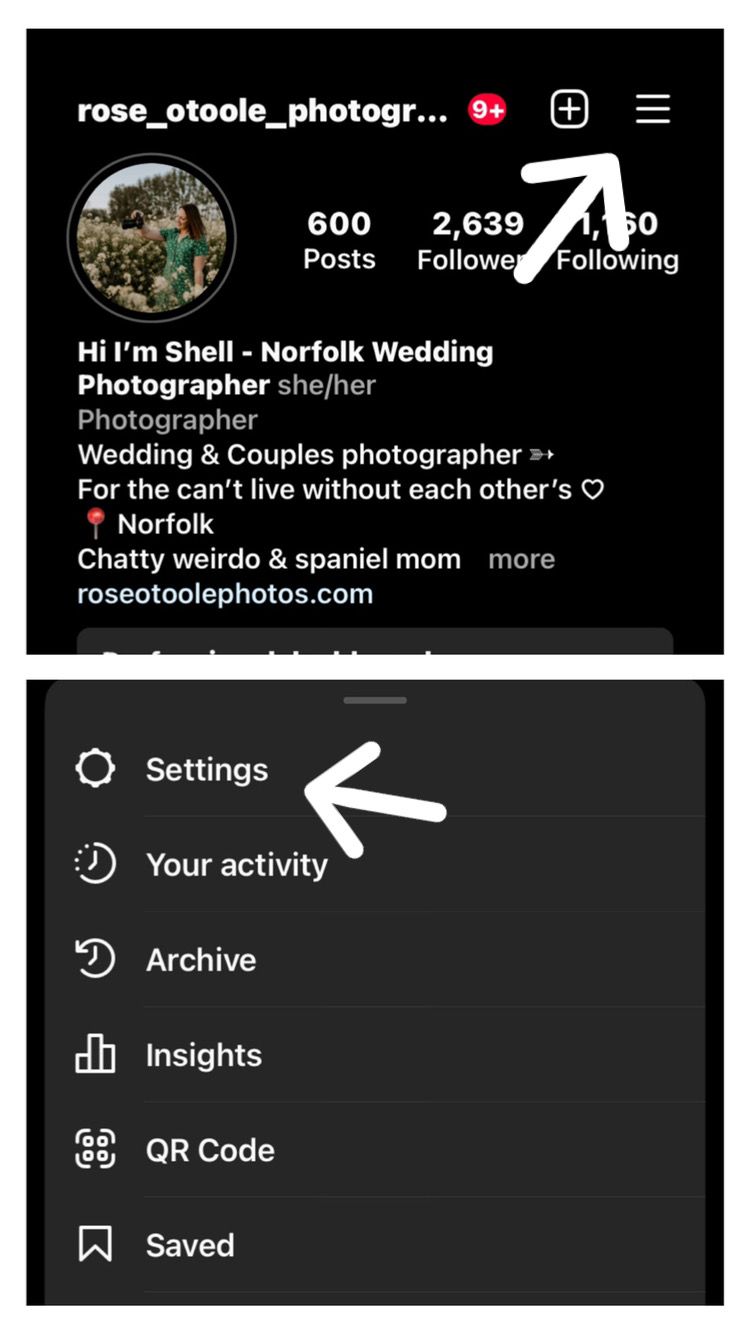
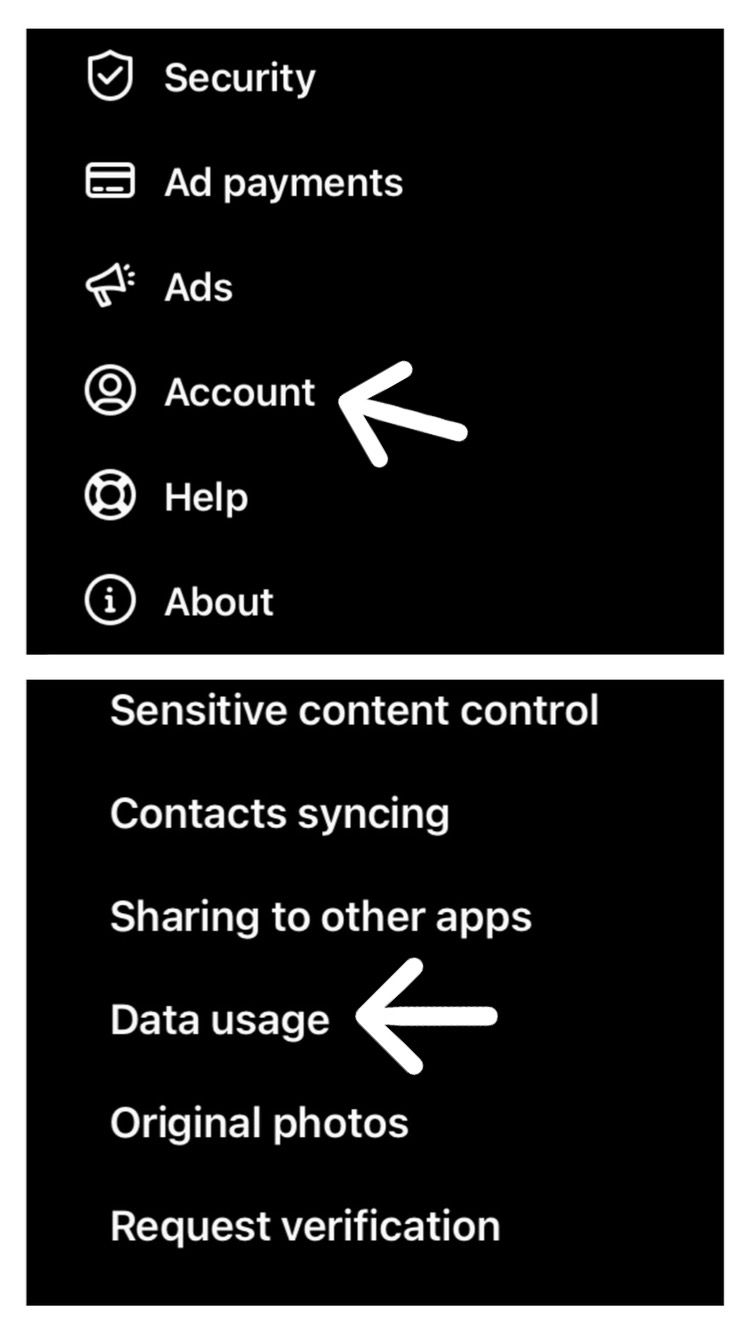
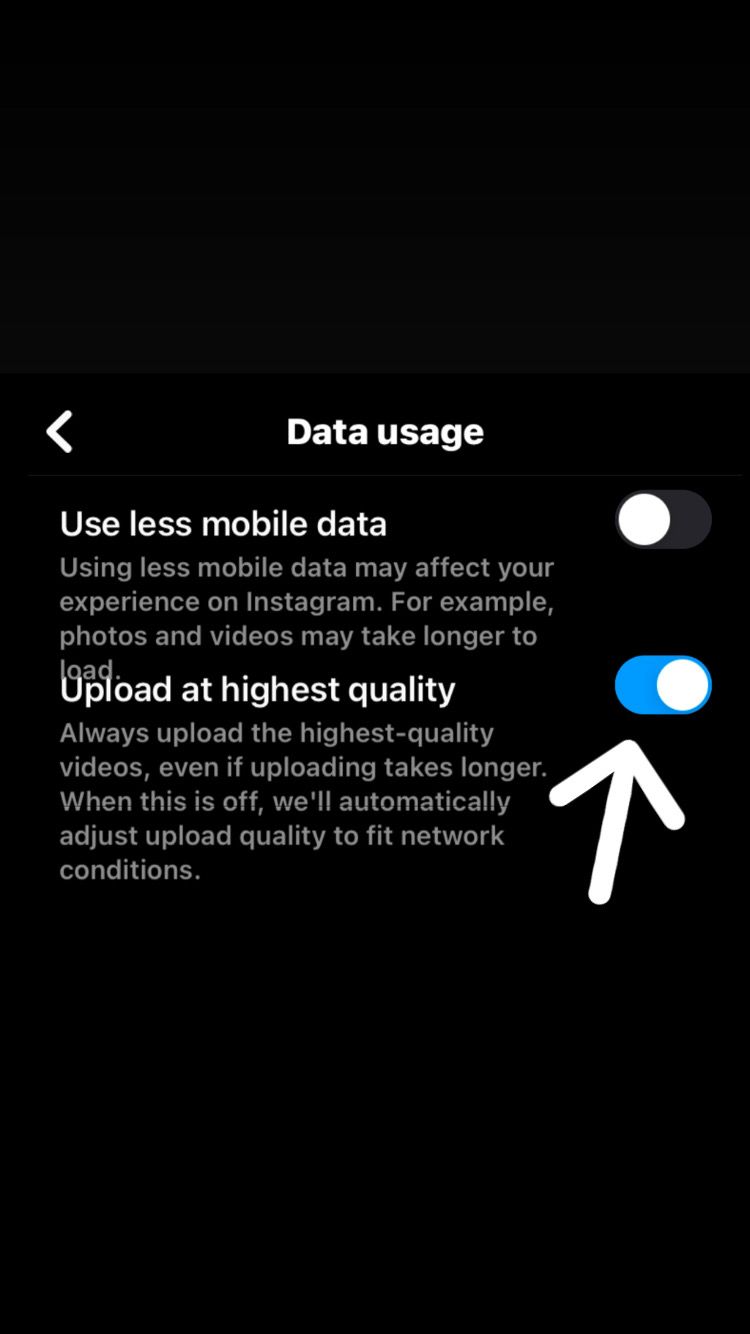
A few simple steps in your settings will ensure all your posts are uploaded as the highest quality.
- Go to your feed and tap the 3 lines in the top right corner.
- Settings
- Account
- Data usage
- Make sure "upload to highest quality" is switched on.
I hope you found this blog helpful and that I have explained why we ask suppliers to do and not do certain things.
If you still like me and don't think I'm a moaning old bat you can follow me over on Instagram.
Thanks for reading
Shell xxxx